
Updated October 28, 2026 · By Shivam Das
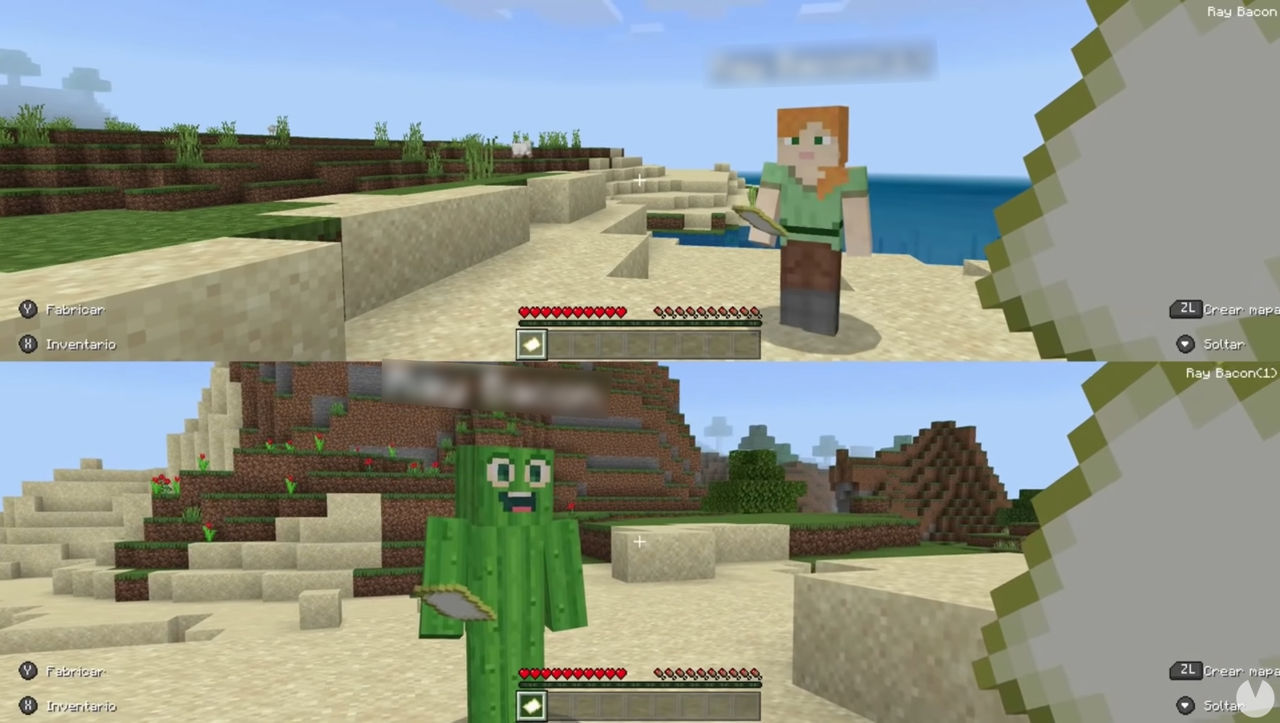
Minecraft on Nintendo Switch 2 gives local groups more room to play than a single-console session—but “local multiplayer” can mean two different things. Nintendo lists 1–4 players on one system, 2–8 players over local wireless, and 2–8 players online for the Switch 2 version. Those numbers describe different connection modes, so eight players cannot all crowd onto one console in split-screen.
Quick answer: For couch co-op on one Switch 2, plan for up to four players sharing one display. For a larger nearby group, use local wireless with multiple compatible systems; Nintendo lists support for two to eight players in that mode. Online play is also listed for two to eight players, requires Nintendo Switch Online, and cross-platform play requires a Microsoft Account. Vibrant Visuals is not available in split-screen gameplay, so the most dramatic lighting effects may disappear when you choose couch co-op. Nintendo’s official Switch 2 listing and Minecraft’s launch announcement spell out these key limits.
The three player counts you should know
- Single system: 1–4 players. This is the shared-console option, commonly called couch co-op or split-screen. Everyone plays on the same Switch 2 and display, using compatible controllers.
- Local wireless: 2–8 players. This is for nearby players connecting their systems wirelessly. It is not an eight-player split-screen mode on one console.
- Online: 2–8 players. Online sessions connect players over the internet. Console online multiplayer requires a Nintendo Switch Online membership; cross-platform play requires a Microsoft Account.
These are Nintendo’s published mode limits, not a promise that every world, controller arrangement, network environment, or content pack will behave identically. For the safest plan, choose the mode before inviting everyone and check the exact game listing for your region. See the official player-count specifications.

What changed on Switch 2?
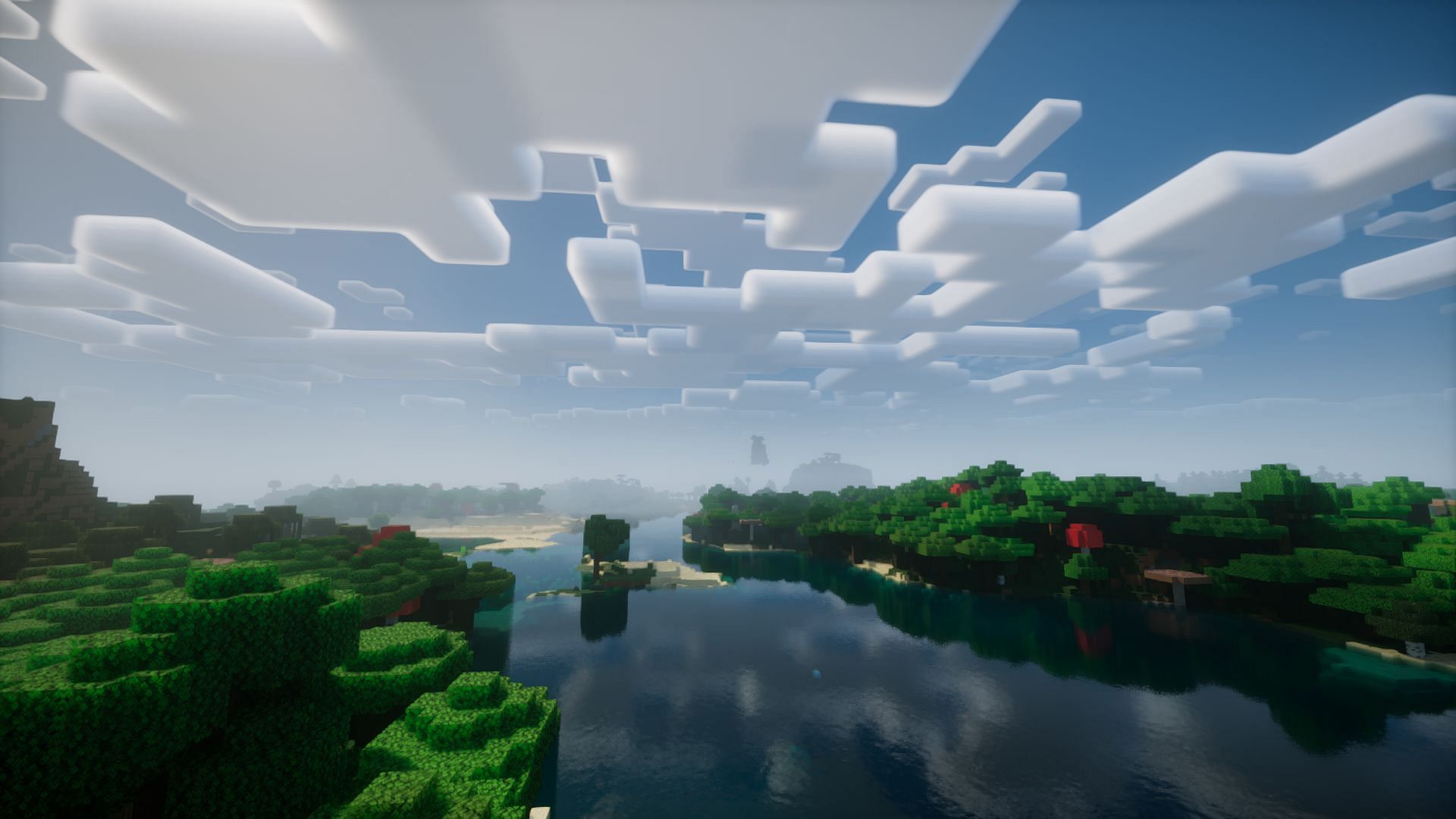
The headline change is the native Nintendo Switch 2 edition, released on October 27, 2026, with support for Vibrant Visuals and the Nintendo-exclusive Super Mario Mash-Up Pack. The new version improves lighting, shadows, fog, and water reflections in supported gameplay. Nintendo also lists local wireless for up to eight players, while single-system play remains capped at four.
The visual caveat matters for group nights: official product information says Vibrant Visuals is unavailable in some gameplay, including split-screen and certain Marketplace worlds or content. If your priority is the enhanced lighting, try a solo or supported non-split-screen session. If your priority is having friends on the couch, treat split-screen as a trade-off rather than a bug. Minecraft’s Switch 2 product page lists the graphics caveat.
How to choose local wireless instead of split-screen
- Update the game on every system. Make sure each player is using a compatible, current version of Minecraft. Mismatched versions can prevent multiplayer connections.
- Connect the systems nearby. Use local wireless for players in the same place. Keep the consoles close enough for a reliable connection and follow the game’s on-screen multiplayer flow.
- Have the host open the world. The host should load the intended world and enable multiplayer visibility or access where those options are available.
- Have the other players join the host’s local session. If the world appears as an online friend session instead, verify the connection method and multiplayer settings rather than assuming local wireless is broken.
- Test with two systems first. Confirm that the host and one guest can join before the whole group sets up. Add the remaining players after the basic connection works.
Minecraft’s Bedrock LAN guidance emphasizes using the same network, running the latest game version, and enabling multiplayer and LAN visibility in the world settings. The Switch 2 local-wireless flow may present different menus, but the core troubleshooting principles are useful. Read Minecraft’s official local multiplayer guidance.

What you need for each type of play
| Mode | Players listed | What to prepare |
|---|---|---|
| One-system couch co-op | 1–4 | One Switch 2, a display if playing docked, and a compatible controller for each player. |
| Local wireless | 2–8 | Nearby compatible systems, compatible game copies as required by the applicable Nintendo listing, and updated software. |
| Online multiplayer | 2–8 | Internet access, compatible versions, Nintendo Switch Online for console online play, and Microsoft Account sign-in for cross-platform play. |
One important detail: Nintendo’s Australian product listing notes that local multiplayer requires one console and one copy of the software per player, and that each player needs a compatible controller. Because regional product terms and software-sharing options can differ, check the rules shown for your account and territory before buying extra copies. Nintendo Australia’s specifications provide that additional detail.

Common local multiplayer problems—and the quick fixes
The host’s world does not appear
Check that all systems are nearby, the game versions match, and the host has started a multiplayer world. Confirm the world’s multiplayer settings and visibility. If a friend is signed in and Minecraft chooses online friend joining by default, double-check whether you are joining through the intended local method.
Four players work, but a fifth cannot join
If everyone is using one console, that is expected: single-system play is listed for up to four players. To play with a larger group, switch to local wireless across multiple systems or use online multiplayer, within the listed two-to-eight-player limits.
Vibrant Visuals disappears in split-screen
This is an official limitation, not necessarily a graphics setting you can force on. Minecraft and Nintendo state that Vibrant Visuals is unavailable in some gameplay, including split-screen and certain Marketplace content. Switch to a supported mode if the enhanced lighting is more important than couch co-op.
Online friends cannot join
Update every copy, confirm each player is using the appropriate Bedrock-compatible version, check account and multiplayer permissions, and verify Nintendo Switch Online for console online play. Cross-platform play requires a Microsoft Account. Online and local wireless are different connection paths, so troubleshoot the one you actually intend to use.
Frequently asked questions
How many players can play Minecraft on one Switch 2?
Nintendo lists single-system play for one to four players. Eight players is the listed maximum for local wireless or online play, not one-console split-screen.
Does local wireless require Nintendo Switch Online?
Nintendo lists a paid Nintendo Switch Online membership for online multiplayer. Local wireless is a separate nearby-system mode; follow the specific requirements shown in your game and regional Nintendo listing.
Can I use Vibrant Visuals in split-screen?
Not in the split-screen gameplay covered by the official caveat. Vibrant Visuals is unavailable in some gameplay, including split-screen and certain Marketplace worlds or content.
Can Switch 2 players join friends on other platforms?
Minecraft supports cross-platform play in Bedrock, and a Microsoft Account is required. Console online multiplayer also requires the relevant platform’s online membership; for Switch, that is Nintendo Switch Online.
Is local wireless the same as LAN play?
They both describe nearby networked play, but menu labels and setup steps can vary by device. On Switch 2, use the local wireless option offered by the game and check Minecraft’s official multiplayer guidance if the host world is not visible.
Related Minecraft Switch 2 guides
- Can Switch 2 Players Join Java Realms? Crossplay Truth and Connection Fixes
- Vibrant Visuals Performance on Switch 2: Recommended Settings for 60 FPS
- Digital Upgrade Not Showing Up on Switch 2 – Step-by-Step Troubleshooting
Sources
- Nintendo: Minecraft for Nintendo Switch 2 — player counts and feature notes
- Minecraft: Play Minecraft on Nintendo Switch 2
- Minecraft: Nintendo Switch 2 product page
- Nintendo Australia: Minecraft game specifications
- Minecraft Help: Play Bedrock Edition on a local network
- Minecraft Help: Multiplayer requirements
Bottom line: Switch 2 Minecraft’s published limits are four players on one system and up to eight over local wireless or online. If you want more than four players nearby, plan for local wireless across multiple systems. If you want Vibrant Visuals, remember that split-screen is one of the official exceptions.