
Quick answer: Use the next 24 hours to do three things in order: finish and verify every Night 8 reward you have already earned, check The Hollow hub itself before treating the reported Night 9 Piggy rotation as live, and prepare a short list of anything still unclaimed before the October 31 finale. Roblox confirms the nine-night event, an October 31 live finale, and a final reward-collection deadline of November 2, 2026, at noon Pacific Standard Time. The exact Night 9 unlock time and the full numbered monster schedule are not stated in Roblox’s newsroom announcement, so use the live elevator and quest panel—not a countdown copied from an unofficial guide—as your final authority.
For U.S. players · Checked October 29, 2026, at 10:04 p.m. Pacific Daylight Time · By Shivam Das
The most important distinction: the finale is not the claim deadline
Roblox’s October 21 announcement separates two milestones that are easy to mix up. The live finale begins on the morning of October 31, while players can continue collecting eligible rewards until noon PST on November 2. That means the finale is a major event moment, not the last minute to complete every claim. You should still finish the active quests early, but do not assume every reward disappears the moment the finale ends.
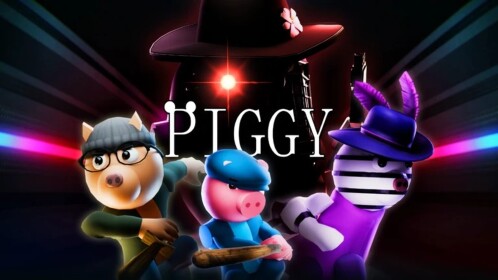
There is a second detail worth keeping straight: the announcement confirms nine monsters over nine nights and names the participating horror games, but its newsroom roster is not a complete day-by-day timetable. Current event trackers and gaming coverage place The Overseer from WARDEN on Night 8 and Piggy on Night 9. Treat the latter daily sequence as reported schedule information unless the live event hub or a dated Roblox post confirms the exact floor in your session.
Your next 24 hours: a practical priority order
| Priority window | What to do | What counts as finished |
|---|---|---|
| First session tonight | Audit Night 8 / The Overseer progress. Re-open the active quest panel, revisit the reward point if needed, and check your inventory. | The hub shows the objective complete and the reward is visible in the correct inventory or badge area. |
| Before logging off | Record anything that is still missing: floor relic, hub reward, partner-game quest, ticket purchase, or badge. | You have a short written list rather than relying on memory or chat messages. |
| Friday, October 30 | Re-enter The Hollow and confirm which floor and monster are actually active. If Night 9 / Piggy is live, read its own objective before starting. | You have verified the current floor in the hub and followed the in-game instructions for that floor. |
| After the Night 9 run | Return to the hub, claim the reward, and verify the item or badge. Do not leave immediately after reaching the exit. | The reward appears in your Roblox inventory, badge list, or the specific claim screen. |
| Finale preparation | Save the official event page and check Roblox’s live event listing for the finale start time. | You know where the finale is listed and have not mistaken a creator stream for the official finale. |
Step 1: close out Night 8 before chasing another floor
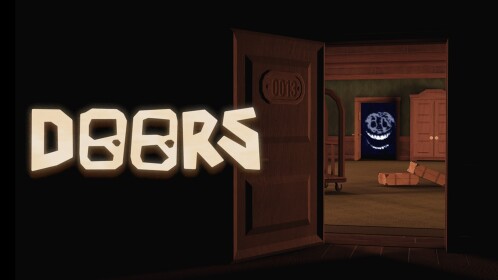
The Overseer is paired with WARDEN in Roblox’s official monster lineup. Current dated event reporting places The Overseer on October 29. That is enough to tell players what to check, but it is not a reason to trust a third-party route that promises a guaranteed clear. Floor layouts, quest prompts and server conditions can change, and Roblox’s newsroom announcement does not publish exact monster detection ranges, safe spots or a universal puzzle solution.
Before leaving the Night 8 area, work through this small audit:
- Objective: Read the exact wording in the hub quest panel. Make sure you completed the objective shown for your current run, not a similarly named task from WARDEN’s separate main experience.
- Relic or floor reward: If the floor asks you to solve a puzzle and retrieve an object, confirm that the item was actually collected and that the game registered the return to the hub.
- Partner-game quest: If a separate WARDEN task is listed, open the linked experience from the official event hub. Do not assume clearing the maze automatically completes a partner-game objective.
- Claim point: Return to the hub and interact with the relevant claim display or prompt if one appears. Finishing a challenge and claiming its reward can be separate steps.
- Inventory check: Search the relevant avatar inventory category and your badge list. A reward may not appear where you expect it, so check the item name and category rather than relying only on the thumbnail.
Useful rule: Do not spend another session repeating a floor until you have checked whether the reward is already owned. A duplicate run may waste time that is better spent on a missing partner quest or the next event objective.
Step 2: treat Night 9 as a live check, not a guaranteed timetable
Several current guides report Piggy as the ninth monster, expected on October 30. Roblox’s official announcement confirms Piggy is among the event’s nine featured games, but the newsroom post does not assign Piggy a numbered night or publish a daily unlock hour. That distinction matters when you are planning a short play session: a third-party calendar can help you anticipate what may appear, but the elevator and objective panel decide what is playable in your server.
When you enter on October 30:
- Open the official The Hollow experience from Roblox, not from a shortened link in chat or a giveaway post.
- Check the elevator and active objective panel. Confirm the floor number and monster shown in your session.
- If Piggy is active, read the floor prompt before moving. Do not assume a route from the original Piggy game is also the route for The Hollow’s event maze.
- Complete the current maze objective and retrieve the required item if the game asks for one.
- Return to the hub, claim the reward if a claim prompt appears, then verify the item in your account.
If the active floor is not Piggy when you join, do not force the schedule. Complete the objective that Roblox actually presents, then check the event listing again later. This is more reliable than repeatedly server-hopping because a fan tracker predicted a particular unlock time.
Step 3: separate the maze, partner quests, badges and shop
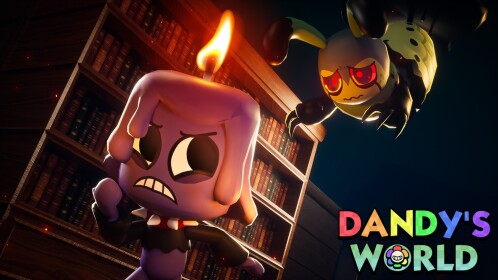
One reason players lose time near an event deadline is that they treat every reward as if it comes from the same activity. The Hollow is a shared hub event, but Roblox says players can earn rewards by completing quests in the hub and in participating experiences. A floor clear, a partner-game quest, a badge, and a Marketplace purchase are not automatically the same thing.
Make four separate columns in your checklist:
- Hub progress: Floors, puzzles, relics and objectives shown inside The Hollow.
- Partner-game progress: Quests that require you to enter one of the named experiences, such as WARDEN or Piggy.
- Claimed rewards: Items or badges that you have actually received, not just unlocked or seen on a progress screen.
- Optional purchases: Marketplace items or ticket-shop choices. These should come after the free objectives you care about, not before them.
This separation prevents a common mistake: seeing a badge notification and assuming every related avatar item has also been claimed. Check the specific reward screen and the relevant inventory category. If the event hub shows a completed objective but the item is missing, re-open the official experience, read the prompt again, and allow the game to finish its claim process before trying another workaround.
Step 4: prepare for the October 31 finale without inventing a start time
Roblox confirms that the live finale begins on the morning of October 31, 2026. The official newsroom announcement does not give a precise start time or time zone in that sentence. A creator livestream, an untitled calendar entry, or a community countdown should not be presented as the finale unless Roblox identifies it as such.
For U.S. players, the practical approach is to check the official event listing on October 31, open The Hollow a little early, and follow the event’s own prompts. If a creator champion is streaming, remember that watching a stream does not automatically award an item unless the event explicitly says so. Roblox names LimaMosca, KreekCraft, Bundun and SirDapper as creator champions, but the newsroom announcement does not promise that every stream grants a reward just for viewing.
The November 2 cutoff: convert the deadline correctly
Roblox says eligible rewards remain collectable until 12:00 p.m. PST on November 2, 2026. That is a Pacific Standard Time deadline, not a generic “end of Halloween” deadline. The United States changes from daylight saving time to standard time on November 1 in 2026, so November 2 is after the clock change.
| U.S. time zone on November 2 | Reward-collection cutoff |
|---|---|
| Pacific (PST) | 12:00 p.m. / noon |
| Mountain (MST) | 1:00 p.m. |
| Central (CST) | 2:00 p.m. |
| Eastern (EST) | 3:00 p.m. |
Do not plan to make your first claim attempt in the final minutes. Leave a buffer for a full server, a slow inventory refresh, an unexpected disconnect, or an objective that takes longer than a walkthrough suggests. The safest deadline is the one you meet early.
What to do if a reward is missing
Start with the least risky checks. Reopen the objective panel, verify that the task is marked complete, revisit the claim location, and check the right inventory category. If the item still does not appear, leave and rejoin through the official Roblox client, then inspect the event hub again. Keep a screenshot of the objective state and the missing reward screen if you need to contact Roblox support.
Avoid “free reward” sites, browser extensions, scripts, or account-verification pages that ask for your password, one-time code, browser cookie or recovery information. No legitimate Hollow checklist requires you to hand over account credentials. Do not download a tool that promises to force a badge or inject a reward into your inventory.
The 60-second final checklist
- Night 8 objective completed and reward checked.
- Floor relic or badge verified in the correct account area.
- Any separate WARDEN partner quest checked independently.
- Night 9 floor confirmed in the live hub before following a Piggy walkthrough.
- Night 9 reward claimed and verified after the run.
- October 31 finale time checked on Roblox’s official event listing.
- Remaining rewards claimed well before November 2 at noon PST.
Bottom line: The best 24-hour strategy is not to chase every rumor or buy every item. Close the reward loops you have already opened, verify the next floor in the game itself, and leave a clean buffer before the finale and the November 2 claim cutoff. The event is close to its finish, but a calm inventory audit is more useful than a frantic last-minute server hop.
Frequently asked questions
What should I do first in The Hollow during the final 24 hours?
Check your Night 8 objective and reward first. Confirm that the hub registered the clear and that the reward appears in your inventory or badge list before spending time on a new floor.
Is Piggy officially confirmed as Night 9?
Roblox officially names Piggy as one of The Hollow’s nine featured monsters. Current secondary event guides report Piggy as Night 9 on October 30, but Roblox’s newsroom announcement does not publish the numbered day-by-day schedule. Confirm the live floor in the event hub.
When does The Hollow finale start?
Roblox says the live finale begins on the morning of October 31, 2026. The newsroom announcement does not provide an exact start time, so check the official event listing for the current time.
When is the final reward-claim deadline?
Roblox says players can continue collecting eligible rewards until noon Pacific Standard Time on November 2, 2026. That is 3:00 p.m. Eastern Standard Time.
Does watching a creator stream automatically give a Hollow reward?
Not based on the general event announcement. Roblox says creator champions will livestream from inside The Hollow, but that statement does not promise a reward simply for watching. Follow the specific in-game quest or stream instructions.
Why is my reward missing after I finished a floor?
Check whether the objective is marked complete, whether there is a separate claim point, and whether the item belongs in a different inventory category. Rejoin through the official Roblox client if needed and keep screenshots before contacting support.
Can I trust a Night 9 countdown from a fan site?
Use it as a planning clue, not proof. Roblox’s official event hub and current in-game objective should determine what is live in your session. Avoid any external page that asks for your Roblox password, one-time code or browser cookie.
Sources and further reading
- Roblox Newsroom: The Hollow — official event structure, nine-monster roster, finale and reward deadline
- The Hollow — official Roblox experience and live hub
- GamesRadar: The Hollow monster guide — secondary reporting on the reported day order
- The Hollow schedule tracker — secondary schedule reference; verify against the live hub
Related coverage: Full 48-Hour Priority List: Night 8 → Night 9 → Finale Prep, The Hollow Creator Stream Schedule: October 26–31, and The Hollow Night Order: Official vs. Reported Monster Schedule.
Editorial standard: Roblox’s newsroom announcement is the primary source for the event format, monster roster, finale date and reward cutoff. Numbered monster timing is identified as secondary reporting unless confirmed in the live hub. This guide is independent and is not affiliated with Roblox.