

Quick answer: Switch between Roblox Halloween events at a natural checkpoint—not in the middle of a quest or before claiming a reward. For Saturday, October 17, 2026, the published schedule lists Steal An Egg and Dress to Impress at 11 a.m. Eastern / 8 a.m. Pacific, FischFright 3 around noon Eastern / 9 a.m. Pacific, and 99 Nights in the Forest around 1 p.m. Eastern / 10 a.m. Pacific. Choose the event you care about most for your longest session, and verify each live Roblox event panel before joining.
Best times to switch between Halloween events
There is no universal reward timer across Roblox. Each experience has its own quests, currency, event window, and reward requirements. This is a practical route based on published listings—not a guarantee that every server will update at the exact minute.
| U.S. time | Plan | Switch when… |
|---|---|---|
| Before 11 a.m. ET | Update games, check official event pages, and choose one priority reward. | Your checklist is ready; don't spend the prep window chasing unverified leaks. |
| 11 a.m. ET / 8 a.m. PT | Choose Steal An Egg or Dress to Impress for the opening visit. | After 15–25 minutes, check your quest status and claim anything completed. |
| Noon ET / 9 a.m. PT | Visit FischFright 3 and identify its event-specific objective. | You have finished a task or know the next step needs a longer session. |
| 1 p.m. ET / 10 a.m. PT | Check 99 Nights in the Forest’s Trick or Treat activity. | Leave only after a safe checkpoint; stay longer if a survival goal needs it. |
| Whenever queues block progress | Check the official listing and try one fresh server. | If the issue persists, play another event instead of rejoining the same queue repeatedly. |
Time-zone note: These ET/PT conversions reflect U.S. daylight saving time on October 17, 2026. Developers can change event schedules, so the current Roblox Events panel takes priority.
Switch after progress, not just after a timer
A smart switch point is when you complete a quest stage, claim an unlocked reward, reach a safe save point, or confirm that the next objective needs a longer session. Leaving halfway through a multi-step task may waste more time than it saves. During your first visit, learn the reward path; then decide whether to continue or return later.
Which event deserves your longest session?
Steal An Egg: exploration and secret hunting
Choose Steal An Egg first if discovering the Halloween Dimension is your main goal. Confirm that the dimension is accessible, read the event notice, and learn what counts as progress. Do not treat a reposted secret egg location, boss drop, or Part 2 date as confirmed unless the game or its developers verify it. If servers are full, try another server once and move on while the queue clears.
Dress to Impress: seasonal fashion and limited items
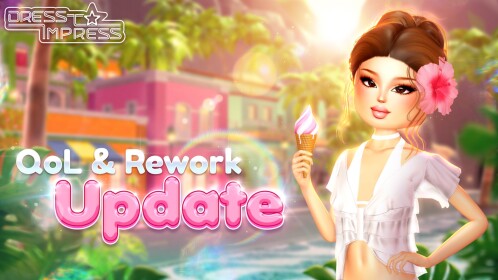
Choose Dress to Impress if you care most about outfits, seasonal cosmetics, and themed rounds. Before grinding, check the item’s current price and unlock conditions. Separate free rewards from items that require seasonal currency, a pass, or Robux. A preview image alone does not confirm a final price or unlock method.
FischFright 3: collection goals
Fisch suits players who enjoy exploration, fishing progression, and collection tasks. Check the event-specific objective before repeating ordinary gameplay. If a limited item is your goal, note its displayed requirements so you can decide whether to continue now or return later.
99 Nights in the Forest: allow time for survival objectives
A survival activity may not fit a quick 10-minute visit. Read the Trick or Treat prompt and decide whether the next objective fits your remaining time. If it requires a longer run, make it your main session instead of repeatedly switching away mid-progress.
Six ways to maximize rewards without wasting time
- Pick one main reward. A specific cosmetic or quest reward is a better target than trying to complete everything.
- Check the requirements first. Read the in-game description and don't assume every item is free.
- Claim rewards before leaving. Finish any claim step before switching games.
- Use two checkpoints. After the first objective, inspect the next requirement. Continue if realistic; otherwise save it for later.
- Switch when progress stalls. If the event isn't visible, check the official listing and try one fresh server, then move on.
- Keep a mini tracker. Note the game, task, reward, and next step so you don't repeat setup each time.
Official game pages
- Dress to Impress on Roblox
- Fisch on Roblox
- 99 Nights in the Forest on Roblox
- Evade on Roblox
- RIVALS on Roblox
Read our October 17 Roblox Halloween event times guide, Steal An Egg Halloween Dimension guide, and 99 Nights in the Forest walkthrough for related details.
Frequently asked questions
What is the best time to switch between Roblox Halloween events?
Switch after a natural checkpoint, such as completing and claiming a reward, or when the next task clearly needs a longer session. The main October 17 switch windows are listed at 11 a.m. ET, noon ET, and 1 p.m. ET.
Should I join Steal An Egg or Dress to Impress first?
Both are listed for 11 a.m. ET / 8 a.m. PT. Choose Steal An Egg for exploration and egg hunting, or Dress to Impress for seasonal fashion. Pick the one that matches your priority reward.
Can switching between games earn every Halloween reward?
Not necessarily. Some rewards require longer quests, multiple sessions, event currency, a pass, or Robux. Efficient switching saves time but does not remove game requirements.
What if an event is not showing?
Check the official Roblox experience page, update the game, and try one fresh server. If it still does not appear, the schedule or rollout may have changed. Avoid third-party “free reward” and “queue bypass” sites.
How can I verify event details?
Prefer the developer’s current Roblox event listing, in-game notices, and official channels linked from the experience. Treat reposted leaks and unverified social clips as unconfirmed until the game itself supports the claim.
Author: Shivam Das
Editorial note: Event times and reward requirements can change after publication. The five images are general Roblox game-listing thumbnails, not verified screenshots of specific 2026 Halloween rewards.






