Quick answer: Before attempting Hiachi in Roblox The Hollow, update Roblox, check your device performance, charge your device, use headphones if possible, and read the active quest board as soon as the event floor appears. Roblox confirms that The Hollow rotates through nine horror-game monsters and awards quest rewards, but its official announcement does not give a complete day-by-day floor schedule or guarantee an exact Hiachi unlock time. Treat the reported October 26 Night 5 timing as a schedule to verify in-game—not as a promise that every server will switch at the same minute.
For U.S. players · Updated October 26, 2026 · By Shivam Das

Is Hiachi Night 5 definitely opening today?
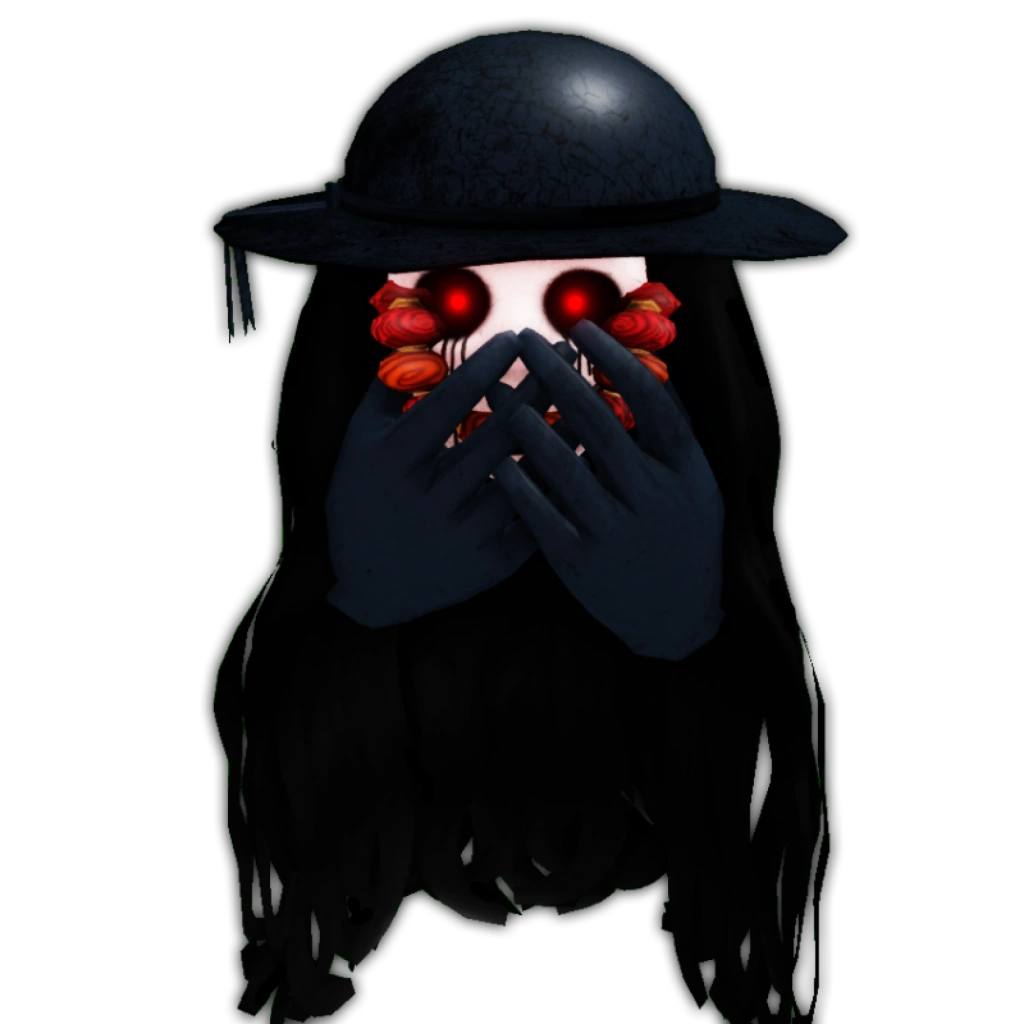
Roblox’s official announcement confirms that The Hollow is a nine-night survival event with a different monster appearing each day, and names Hiachi from The Mimic among the featured monsters. It also confirms quest-based rewards and a live finale on October 31, with reward collection continuing until noon Pacific Standard Time on November 2. However, the announcement does not publish a full date-by-date monster order or an exact reset time for every floor.
Community event calendars report Hiachi for October 26, while the creator livestream listing pairs Hiachi with Left Arm Kim on Tuesday, October 27 at 8 a.m. Eastern / 5 a.m. Pacific. Those are different pieces of information: a creator livestream time is not automatically the time the floor unlocks. Before you plan your session, check the live event panel in the official Roblox The Hollow experience.

Night 5 preparation checklist
1. Update Roblox and test your device before the rush
Open Roblox before the expected event window, let any updates finish, and launch another experience briefly to confirm the client loads normally. On mobile, close background apps and keep enough free storage for smooth loading. On PC, close heavy downloads and unnecessary browser tabs. These steps will not guarantee a queue-free entry, but they reduce avoidable problems caused by your own device.
2. Charge your device and stabilize your connection
Charge your phone or laptop and, if you are on Wi-Fi, play near the router where possible. Avoid switching between Wi-Fi and mobile data during a run. If other people are streaming or downloading large files on the same network, pause those tasks for the session if you can. A stable connection is more useful than turning every graphics setting to maximum.
3. Prepare for clues instead of memorizing unverified puzzle answers
Keep a simple note ready for the clues you actually see: exact wording, nearby landmarks, the order of symbols, and where you found each clue. Do not rely on a cropped screenshot that shows only a solution with no location or context. Event floors can have different objectives, and a guide for another night may not match the active room.
4. Decide how your group will communicate
If you enter with friends, agree on simple roles before starting: one player reads prompts, one tracks landmarks, and another watches the route back. Avoid splitting up until you understand the current objective and the monster’s behavior. If you are solo, move methodically and pause in a safe area to review clues rather than sprinting through every doorway.
5. Check the quest board and reward requirements first
Roblox says players earn exclusive UGC and other rewards by completing quests. That does not mean watching a creator livestream automatically grants an item, nor does it mean every accessory is free. Read the current in-game requirement and confirm the claim prompt before leaving. If the reward panel shows a ticket cost, check the amount before spending.

What to watch for when Hiachi appears
- Read the objective before moving. The quest prompt is the best starting point for the active floor.
- Learn the room layout. Note the elevator, exits, hiding spots, and any landmarks that help you retrace your route.
- Do not assume a familiar monster behaves exactly the same. The Hollow is a shared event experience; use the behavior you observe in the current run rather than relying only on older videos from The Mimic.
- Confirm the reward in your inventory. A completed puzzle or a creator’s clip is not the same as seeing the reward added to your account.
- Recheck event timing. If the Hiachi floor is not available, refresh the official event page and check the event panel again instead of following a third-party countdown.

Official event post and livestream timing
Use Roblox’s official event announcement for the overall format and the live The Hollow page for current event listings. The October 27 Hiachi × Left Arm Kim creator session is listed at 8 a.m. Eastern / 5 a.m. Pacific. That time is a livestream slot; do not treat it as a guaranteed floor reset or assume watching the stream alone completes a quest.
The Mimic News on X: Hiachi character designs
For the latest creator schedule, see our Roblox The Hollow creator livestream schedule for October 25–31. For the confirmed lineup and the limits of what Roblox has officially announced, read our guide to The Hollow’s nine monsters and what is confirmed.
Safety: avoid fake free-UGC claim links
Never enter your Roblox password on a third-party page promising an instant Hiachi item, free Robux, or a secret reward code. Do not download an executable or browser extension to “unlock” a quest. If an item is legitimate, its requirements should be visible through Roblox or the event experience. Check the displayed item price and the account inventory rather than trusting a reposted screenshot.
Frequently asked questions
What should I do before Hiachi unlocks in The Hollow?
Update Roblox, test your connection, charge your device, prepare a way to note clues, and check the official event panel for the current floor and quest requirements.
Is Hiachi officially confirmed for The Hollow?
Yes. Roblox’s official announcement names Hiachi from The Mimic as one of the nine monsters featured in The Hollow. The announcement does not, however, give a full official day-by-day floor order.
What time does the Hiachi livestream start in the United States?
The creator listing reports Tuesday, October 27, 2026, at 8 a.m. Eastern / 5 a.m. Pacific. Confirm the time on the live event page before joining because listings can change.
Does watching the Hiachi livestream give free UGC?
Do not assume so. Roblox describes quest-based event rewards, but a livestream listing alone does not promise automatic rewards for viewers. Check the in-game quest board for the actual requirements.
When does The Hollow reward collection end?
Roblox says players can continue collecting rewards until noon Pacific Standard Time on November 2, 2026. Confirm any individual item’s requirements in the live experience.
Sources
- Roblox Newsroom: The Hollow Halloween survival event
- Roblox Developer Forum announcement
- The Hollow official Roblox experience
- The Mimic News on X: Hiachi character designs
Editorial note: This guide separates Roblox-confirmed event facts from community schedule reports. Exact floor unlocks, puzzle answers, and item-specific requirements should be checked in the live game before publication updates.