

Quick answer: Roblox generally disconnects players after about 20 minutes of inactivity, but Roblox has not published a separate AFK or queue-kick rule specifically for The Hollow. Do not assume that waiting in a queue protects your session. Stay active, watch for official in-game instructions, and rejoin through Roblox if you disconnect.
Updated October 21, 2026 · U.S. player guide · By Shivam Das
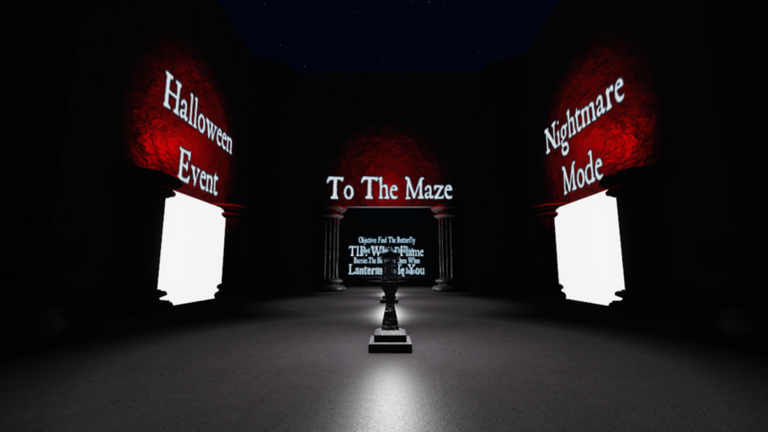
Roblox says The Hollow begins October 22 at 2 p.m. Pacific Time, with Roblox Plus subscribers receiving early access at noon PT. The event features a shared horror hub, changing mazes, clues, monsters and quests. The platform has not confirmed a special queue system or a Hollow-specific AFK exemption.

Does Roblox kick AFK players after 20 minutes?
Roblox's Creator Hub documentation says the platform automatically disconnects players who have been idle for at least 20 minutes. This is a general Roblox behavior—not a confirmed statement about a special The Hollow queue. Plan for the possibility of being disconnected rather than relying on a queue timer or an unattended screen.
An inactivity disconnect is different from a connection failure. Slow or unstable internet, firewall settings and other connection problems can prevent an experience from loading or staying connected. A queue delay alone does not prove that Roblox has kicked you.
How to reduce AFK and disconnect risk on launch day
- Stay present: Keep an eye on the game and respond to prompts. Do not leave your avatar idle for long periods while expecting the session to remain open.
- Use the official event entry: Open The Hollow from Roblox's official announcement or event listing, not a third-party “queue bypass” page.
- Check your connection: If loading stalls, try a stable Wi-Fi or wired connection and follow Roblox Support's connection troubleshooting steps.
- Keep your device awake: Review your computer or phone's sleep settings, while remembering this does not override Roblox's inactivity rule.
- Avoid unofficial AFK tools: Do not install scripts, executors, autoclickers or “anti-kick” downloads advertised by strangers.
- Allow time to rejoin: Save the official event page so you can return quickly if a session ends.
Queue problem or internet problem? How to tell
If the experience remains responsive but you are waiting for access, that may be launch demand or an in-game queue. If Roblox displays a connection error, the game fails to load, or your avatar disappears after a network interruption, treat it as a connection issue. Roblox's official connection troubleshooting guide recommends checking browser support, connection quality, firewall settings and whether the experience is functioning correctly.
What if you get kicked from The Hollow?
- Read the exact error message before changing settings.
- Check the Roblox status page for a reported platform issue.
- Reconnect using Roblox's official app or website and reopen the event from its official entry point.
- If the same error repeats, follow Roblox Support's connection steps and report persistent experience-specific problems to the developer.
- Never enter your password, verification code or session cookie on a site claiming it can restore your queue spot or grant free rewards.

What we know—and what is still unconfirmed
Confirmed: Roblox announced The Hollow for October 22, 2026, at 2 p.m. PT, with early access for Roblox Plus subscribers at noon PT. Roblox documentation describes a general 20-minute idle-disconnect behavior.
Not confirmed: A dedicated The Hollow queue, a queue-specific AFK timer, guaranteed queue retention after disconnecting, or a method to bypass the platform's idle rules. Guides claiming those details should provide direct official evidence.
Frequently asked questions
Will The Hollow kick me if I wait in a queue?
Roblox has not announced a Hollow-specific queue rule. Roblox generally disconnects players after at least 20 minutes of inactivity, so remain active and follow in-game instructions.
Does keeping my screen on prevent an AFK kick?
Keeping the device awake can prevent your phone or computer from sleeping, but it does not guarantee that Roblox will treat your session as active or exempt it from inactivity disconnection.
Can I use an anti-AFK script to stay in The Hollow?
Do not rely on unofficial scripts or downloads. They are not an official solution and cannot guarantee that a queue position will be preserved.
What should I do if The Hollow disconnects me?
Read the error, check Roblox's status page, reconnect through the official app or website, and use Roblox Support's connection guide if the problem continues.
Where can I verify The Hollow launch details?
Use Roblox's official announcement for event details and Roblox Status for platform incidents.
Editorial note: This guide distinguishes Roblox's documented general idle-disconnect behavior from The Hollow-specific rules, which have not been separately announced. Historical images are clearly labeled and should not be mistaken for 2026 event gameplay.






