

For U.S. Roblox players · Updated October 21, 2026 · By Shivam Das
Quick answer: There is no verified evidence that Roblox has secretly reduced rewards across Halloween events as a platform-wide policy. But limited-time games can change quest requirements, reward prices, drop rates, event timers, or what remains claimable after an update. Before grinding tonight, compare the live event panel with what you saw earlier, check the developer’s latest announcement, and claim earned rewards manually.
Halloween events across Roblox do not share one universal reward system. Each experience sets its own currency, quests, shop, and closing date. That means a slower reward loop may be a balance change in one game, a daily cap, a completed bonus, a server issue, or simply a different task—not automatically a secret nerf. Here is how to spot the difference before spending hours on a limited-time item.
What “nerfing rewards” can actually mean
Players often use “nerf” to describe several different changes. A developer may lower a payout, raise a shop price, change a quest requirement, remove a multiplier, adjust a random drop chance, or end a bonus that was only available for a limited period. These changes have different consequences, so capture the exact detail rather than relying on a vague claim that rewards feel worse.
- Lower payout: the same task gives fewer event tokens than before.
- Higher cost: the item costs more currency in the live shop.
- Changed requirements: a quest now needs more wins, rounds, eliminations, or objectives.
- Expired bonus: a daily multiplier or limited quest has ended or reached its cap.
- Drop-rate uncertainty: a few unlucky rolls are not proof that odds changed.
- Claiming problem: the reward is earned but has not appeared in inventory or needs a manual claim.
One screenshot can help, but the strongest evidence is a before-and-after comparison of the same task, account conditions, and reward screen, paired with a dated developer note when available.
RIVALSWEEN: check the daily boost before judging the payout
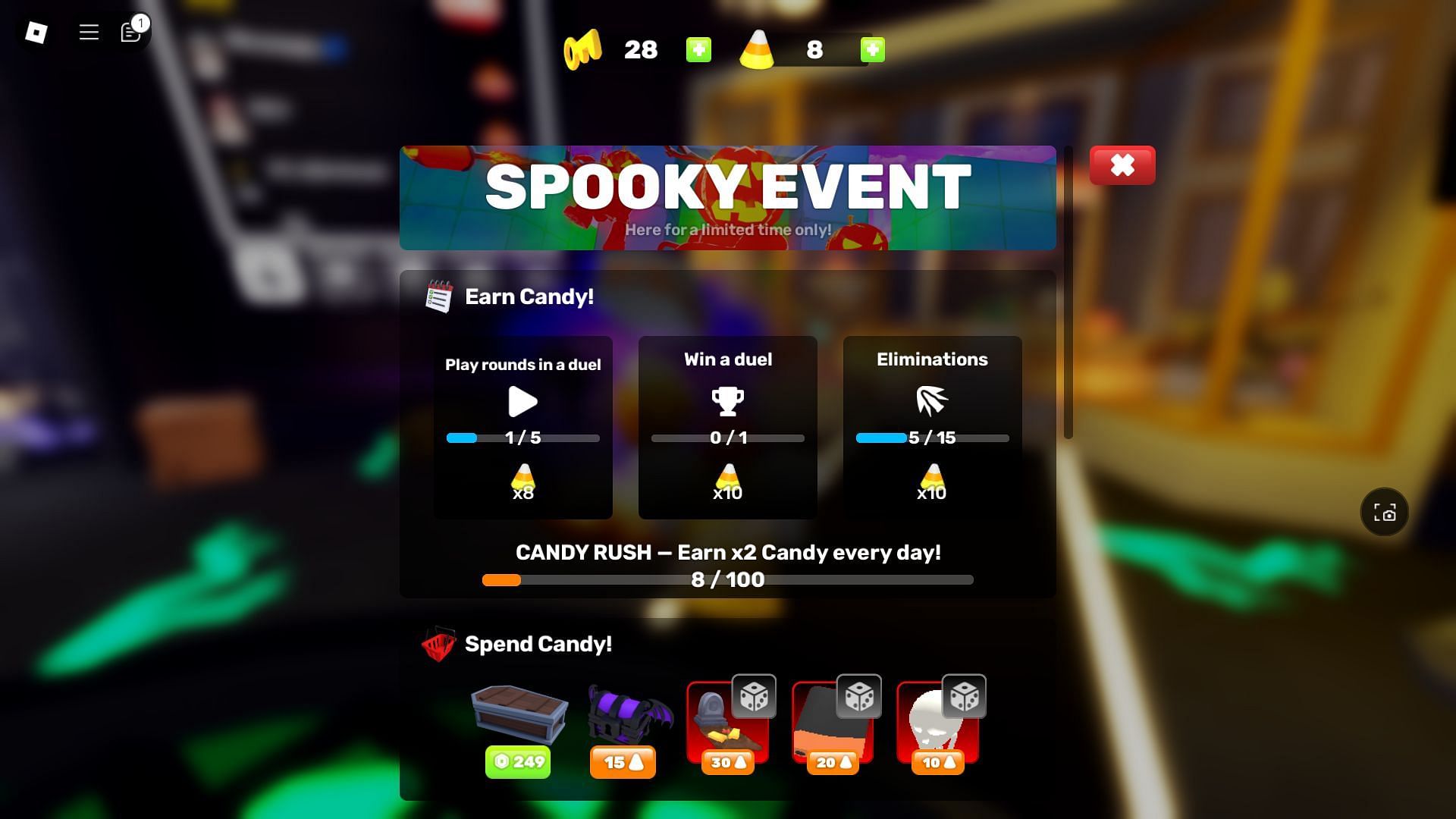
RIVALSWEEN has a task-based Candy system, an event hub, and limited-time cosmetics. Current guides report that players must complete Daily Tasks and 20 duels to access the event hub, and that a daily Candy Rush boost affects early earnings. If your Candy rate drops after a productive session, first check whether the boost has been used up and whether the tasks you are completing still qualify.
Do not assume a reward has been nerfed because the first few tasks paid more than later matches. Record the task, the displayed payout, whether the daily boost was active, and the current shop price. The event’s public schedule has been reported as running into early November, but the live event screen should take priority if it displays a different countdown.
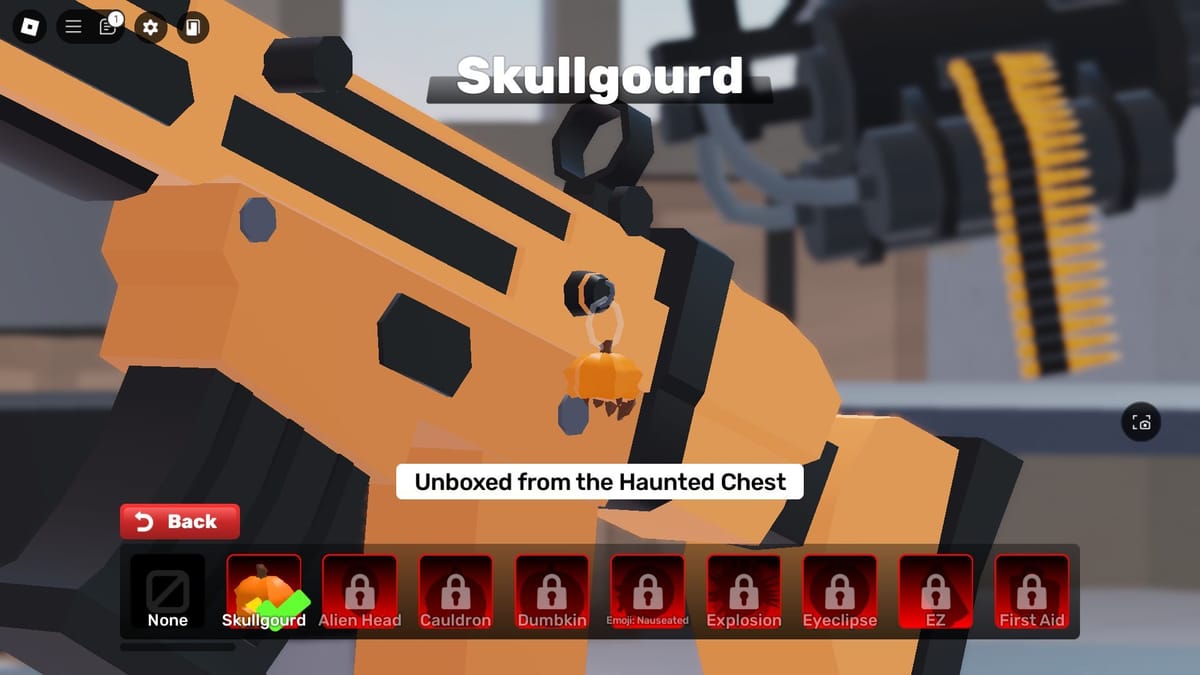
Official check: RIVALS on Roblox · Developer updates: Nosniy Games on X. The official game page and developer announcements are more reliable than reposted reward charts.
99 Nights in the Forest: separate event progress from normal survival
In survival experiences, seasonal progress can depend on event-specific actions, quest resets, server state, or a limited window. If your Halloween currency seems slower, check whether you are completing the event’s required activity—not just playing a normal survival run. Also check the quest tracker after a server hop; a display delay or an unclaimed reward can look like a reduced payout.

When a quest appears to have disappeared, compare the event menu, current countdown, and official experience page. Do not rely on a guide from an earlier update if the live game has a newer quest layout.
Steal An Egg and other limited-time events: watch the shop and the timer
For collection and pet games, a reward may feel less valuable if its supply changes, a new wave arrives, or players begin prioritizing a different item. That is not necessarily a developer nerf. Before trading, selling a pet, or spending event currency, check the current item description, whether the reward is still obtainable, and whether the game has announced a follow-up update.

For any event, take a screenshot of the reward shop and the timer before the final day. If a price or requirement later changes, the comparison will be more useful than a memory of what the menu showed.
Five-minute reward audit before you grind
- Open the live event panel. Read the exact quest requirement, payout, shop cost, and countdown.
- Check the bonus state. Confirm whether a daily boost, streak, or cap is still active.
- Claim earned items. Look for a Claim button and verify the item appears in inventory.
- Compare like with like. Use the same task and note any account, server, or difficulty differences.
- Check the developer’s latest update. Prefer official game descriptions, patch notes, and developer social posts over rumor accounts.
- Save evidence before spending. Keep a dated screenshot of the shop price and reward description.
When a reward change is confirmed—and when it is not
A confirmed change needs more than a comment saying “the grind is worse.” Look for an official patch note, an updated in-game value, a developer announcement, or repeatable before-and-after testing. If none is available, label the claim unconfirmed. Players can report what they observe without presenting speculation as fact.
It is also worth separating a genuine nerf from an event ending. When a limited-time quest closes, its reward may no longer be obtainable even though the developer did not change the payout. Some games also run independent schedules, so one event ending does not mean all Roblox Halloween rewards are gone.
Frequently asked questions
Have Roblox Halloween rewards been secretly nerfed across all games?
No platform-wide secret nerf is verified here. Each Roblox experience manages its own event rules, so check the individual game’s live quest and shop screens.
Why did I earn fewer Candy or event tokens today?
Possible reasons include an expired daily boost, a completed bonus cap, a different task, changed requirements, or a server/display issue. Compare the same task under the same conditions before concluding that the reward was reduced.
What should I do if an earned reward is missing?
Reopen the event menu, check inventory, try a fresh server, and capture a screenshot of the completed objective. If the item is still missing, use the experience’s official support or community channel.
Should I spend Robux to finish an event before it ends?
Only if the purchase is worth the price to you. Check the item cost and event deadline, set a spending limit, and do not treat random drops as guaranteed.
Bottom line: Treat “quiet nerf” claims as a reason to check the numbers, not as proof. Verify the live quest, bonus state, shop price, and deadline before you grind. That simple audit helps you protect your time—and avoid spending Robux based on outdated screenshots or unconfirmed rumors.
Reporting note: Event rules and rewards can change after updates. This article distinguishes documented event mechanics from unverified claims and does not assert that any named developer secretly reduced rewards.
Related Roblox guide: The Hollow Day 1 priority list for casual players.






